
All businesses need signage and advertising. But what can you do to make a customer’s experience with your business really stand out in their memory?
Well, how about digital signage options, such as kiosk displays?
You can utilise digital kiosks in various ways, including for advertising, interaction, and checkout experiences. This page explains what a digital kiosk display is, and why your business could benefit from one.
What is digital signage and why do you need it?
Investing in digital signage means shifting away from static printed boards and banners, although those still have an important role to play. Instead, you’ll embrace displays that can show anything you want at any time you want. And yes, that includes images, videos or even live feeds.
A modern digital signage setup includes three core components:
- The display itself
- A media player, SoC (system on chip), or connected cloud media system
- Software that manages the content
Businesses across the UK can benefit hugely from digital signage. It brings significant advantages. For example, you can update your promotions instantly, maintain consistent branding across all your locations and reduce your overall printing and distribution costs. And once your digital signage is up and running, you can change or leave it alone as much as you need.
All businesses need signage and advertising. But what can you do to make a customer’s experience with your business really stand out in their memory?
Well, how about digital signage options, such as kiosk displays?
You can utilise digital kiosks in various ways, including for advertising, interaction, and checkout experiences. This page explains what a digital kiosk display is, and why your business could benefit from one.
What is digital signage and why do you need it?
Investing in digital signage means shifting away from static printed boards and banners, although those still have an important role to play. Instead, you’ll embrace displays that can show anything you want at any time you want. And yes, that includes images, videos or even live feeds.
A modern digital signage setup includes three core components:
- The display itself
- A media player, SoC (system on chip), or connected cloud media system
- Software that manages the content
Businesses across the UK can benefit hugely from digital signage. It brings significant advantages. For example, you can update your promotions instantly, maintain consistent branding across all your locations and reduce your overall printing and distribution costs. And once your digital signage is up and running, you can change or leave it alone as much as you need.
What is a digital kiosk?
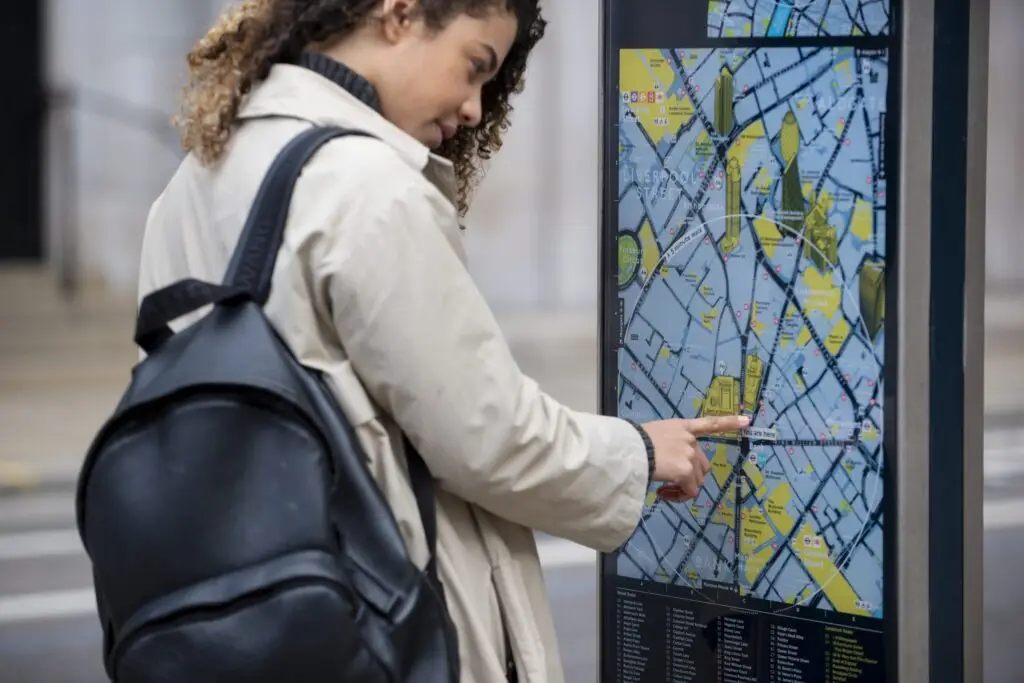
A digital kiosk is a free-standing digital sign used to give information or take orders. It’s typically installed in public spaces (such as high-traffic areas of shops or shopping centres), fast-service environments (like fast-food restaurants or catalogue-type stores), and other business premises.
You can find different types of digital kiosks. Some are designed as advertisement boards or information platforms; others are all about customer interactions.
People can interact with these digital kiosks in various ways. They usually have a touchscreen and can help with things like product browsing, ordering, wayfinding or ticketing, or even function as self-service checkouts.
For instance, you might use a digital kiosk in a takeaway when you order your meal, or in a DIY store to locate where a specific paint colour is kept on the shelves.
How do you set up a digital kiosk?
Here’s a simplified breakdown of how to set up your digital kiosk:
- Plan the location – identify where the kiosk will be placed and how your users will interact with it. Consider lobbies, reception areas, retail floors or outdoor spaces.
- Choose the right digital kiosk – decide whether your kiosk will use an LED or LCD screen, and whether you need a built-in SoC or connect to a cloud media player.
- Design content – prepare your content, including images, videos, menus or QR codes, as well as navigation and any interactive elements, if applicable.
- Order the digital kiosk – order your kiosk from PB Signs. We can help you make all the best decisions regarding design and technology options.
- Install the kiosk – once it arrives, we’ll install the kiosk in the chosen location. We’ll ensure it’s secure, steady, at the right height and visible to your target audience.
- Set up software and content management – load your digital signage software to control the scheduling, layout, and the sequence of content.
- Schedule content – upload your pre-designed content (we can help you create this), and get your updates ready for peak times or specific campaigns.
- Test – make sure everything works before letting customers interact with your digital kiosk.
- Refine – run the kiosk for a trial period, observing user interactions. You may want to adjust timing, layout, and interactive elements based on feedback.
Order your digital signage from PB Signs
Digital kiosks are excellent options for businesses with high foot traffic. One investment means you’re ready for any advertisement or interactive element you need. Whether you’re looking for a classy lectern display to help your customers navigate your premises, or a payment kiosk for people to check out at your pizza restaurant, digital signage is the way forward.
So, if a digital kiosk or LED displays could change how your company interacts with its customers, why not get in touch? We’d be delighted to have a commitment-free chat about your digital display options and how we can help your company meet its goals. Chat with us at PB Signs, and let us create a solution tailored to your needs.